
See the whole system at a glance.
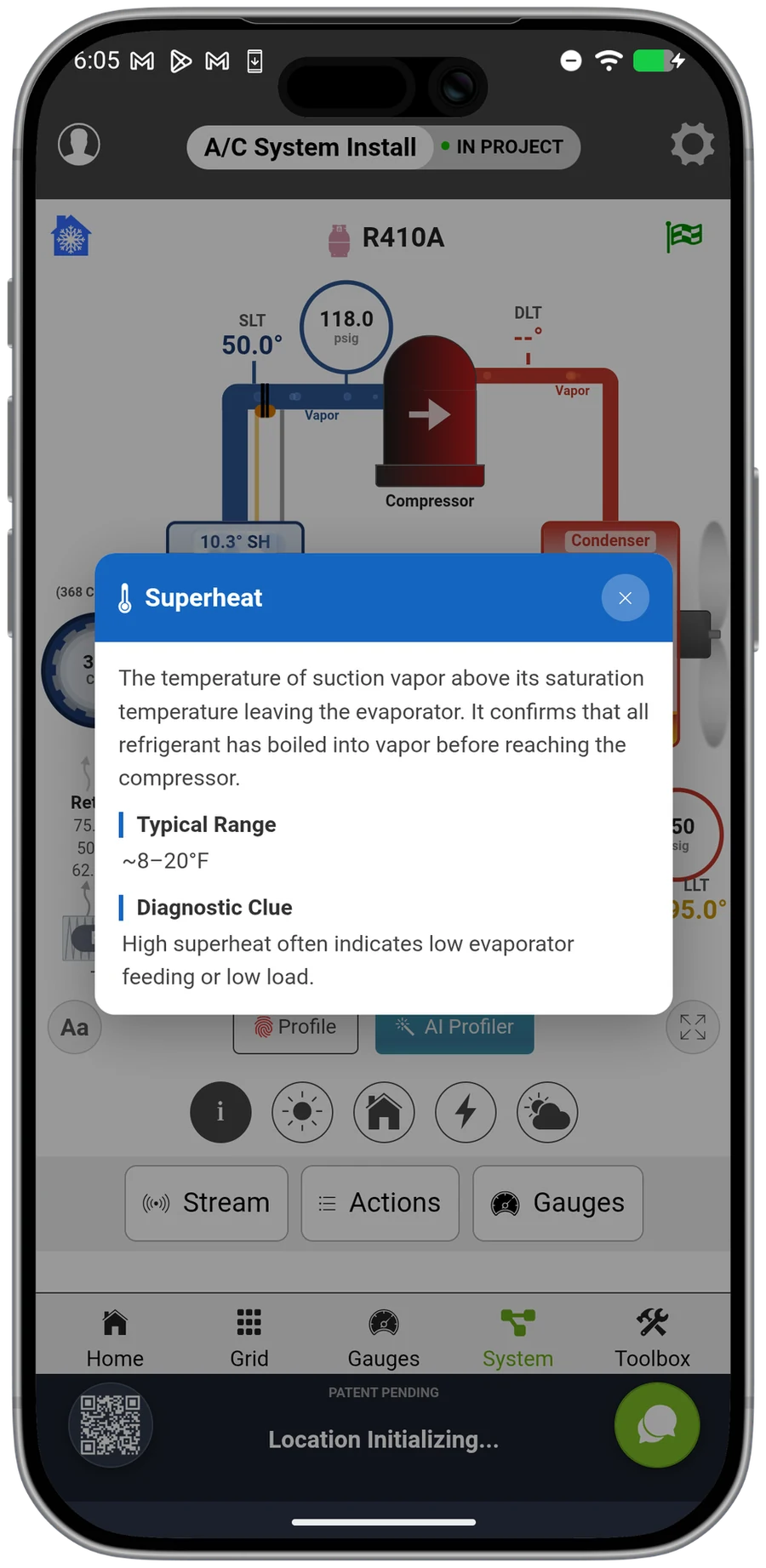
A live picture of the refrigerant cycle, drawn from your probes. Tap any component to read it. The fastest way to understand what a system is doing, and a flagship of the Premier toolkit.
A flagship Premier capability
PremierSystem View is the headline feature of measureQuick 3.6, and the oldest idea in the platform finally drawn as a picture. "Measure, don't guess" used to mean a column of numbers. Now it means a live diagram of the cycle. It turns the readings from your probes into a moving picture of the whole refrigerant loop, because the fastest way to understand a system is to watch it run.
Watch the refrigerant work
The compressor, condenser, metering device, and evaporator are drawn as a loop, with live pressures and temperatures at each point. You see the whole cycle at once on one screen, and you can watch the charge migrate in real time: condensing temperature rises, the liquid seal drops, the evaporator floods, all on screen as it happens.
That whole-system picture is the point. Kyle Ricciardi, owner of AC Authority, puts the habit it builds in a single line: "Stop diagnosing a part of the system. Use measureQuick."
Live data on every component
Tap the evaporator to see the coil conditions. Tap the line set to read superheat. Each component opens to its detail, annotated with what it does and what a normal range looks like, without losing the picture of the whole system.
That turns every call into a lesson. Aaron Gregg, a service manager at Jacob's Ladder, describes how it lands for a newer tech: "It's just like having the senior tech right there beside you telling you hey, this is why your superheat's too high."
Read behind the picture
Tap any point to read the live measurement: coil conditions at the evaporator, superheat at the line set, head pressure at the condenser. The full set of 24 measurements sits one tap below the loop, so you move from the whole system to a single number without losing the picture.
The diagram follows the equipment. Switch the metering device in the profile from a fixed piston to a TXV and the picture redraws to show the bulb and the external equalizer line, because the same suction reading means different things on different metering devices.
Train the new tech faster
A newer technician learns the refrigeration cycle by watching it move on the live screen. measureQuick founder Jim Bergmann built it out of a teacher's frustration: "I spent 12 years drawing refrigeration cycles on a whiteboard for high school students. The hardest part was never the content. It was getting them to see the relationships between superheat, subcooling, charge, and airflow all at once."
The same whole-cycle view is what catches the system carrying more than one fault. Most underperforming systems carry more than one fault, and seeing the loop at once is how a tech finds the second and third problem on the first visit.
See System View in action
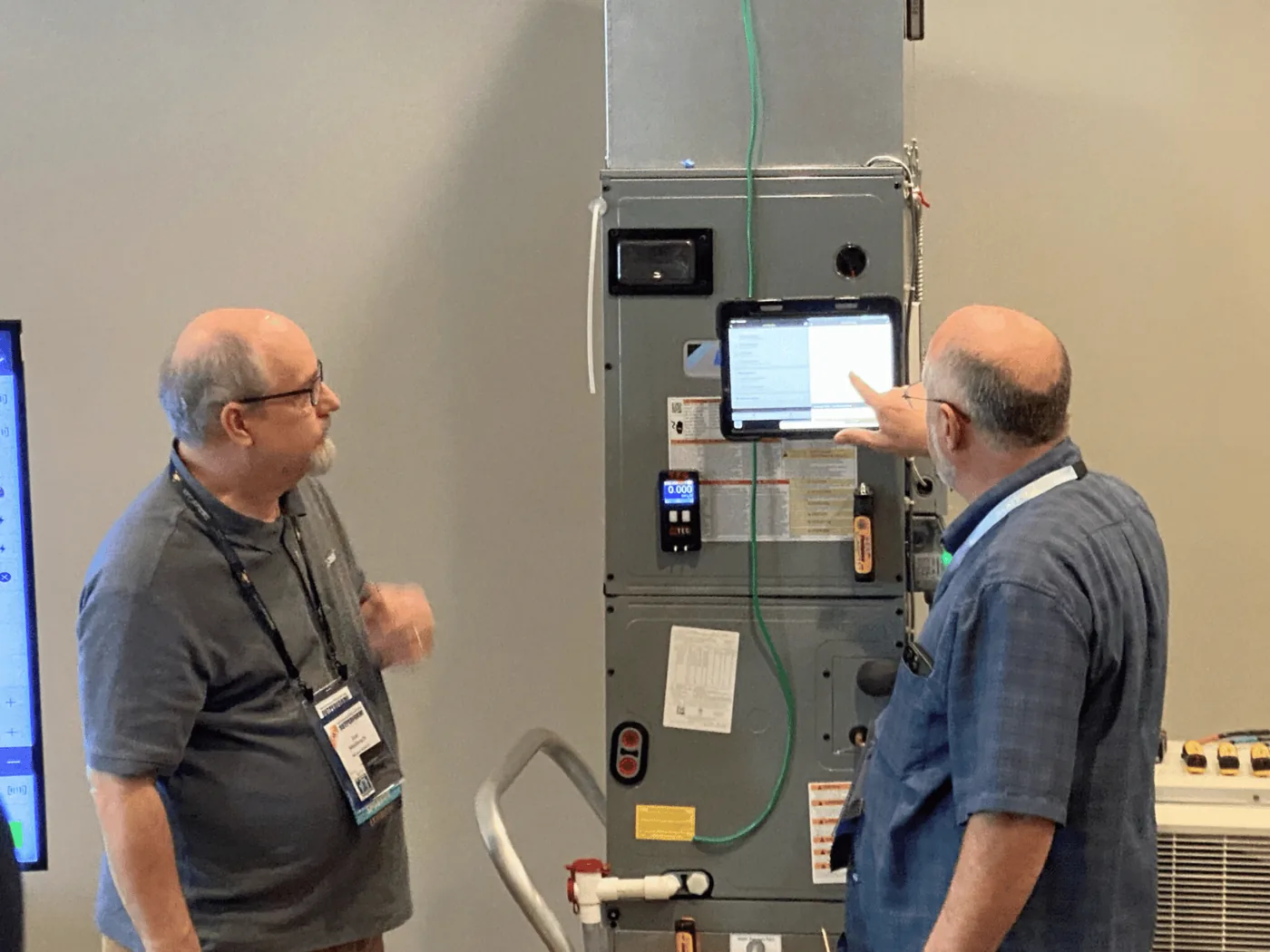
System View turns your live readings into a moving picture of the whole system. Here is a tour of how it works in measureQuick 3.6.
“And once we know airflow, and we know our temperature and humidity drop, then we can figure out how many BTUs of sensible heat this unit's doing... But now it is so easy to hook up some probes to a unit and say your three ton unit is operating at three tons, we're good to go.”
Questions, answered
Is System View part of Premier?
Yes. System View is a Premier capability, included with every Premier seat at $49 per user per month. It works with the Bluetooth tools you already own.
What do I need to use it?
A Premier subscription, a phone or tablet, and the Bluetooth probes you already own. Connect to a running system and the refrigerant loop draws itself from the live readings.
What can I read from it?
Tap any component for its live measurement: coil conditions at the evaporator, superheat at the line set, head pressure at the condenser. The full set of 24 measurements sits one tap below the loop.
How does it help train a newer tech?
A newer technician learns the refrigeration cycle by watching it move on screen, so every service call builds the diagnostic skill that prevents the next callback.
How is it different from a normal gauge readout?
A gauge readout is a list. System View is the whole refrigerant loop on one screen, with the air side and the refrigerant side drawn together, so you can see whether a low suction is a charge problem or an airflow problem before you touch a hose.
Can I use it to explain a problem to a homeowner?
A homeowner understands a picture of their own system where one part is highlighted, even without reading superheat. System View turns a technical finding into something a customer can see.
See the whole cycle, live.
Real-time diagnostics on 80+ tools across 17+ brands are free forever. Premier is $49 per user per month.