
measureQuick v3.5.8: Work Smarter, Not Harder with NAVAC Smart Tools & AI driven search
measureQuick v3.5.8 introduces two major updates for field technicians. NAVAC Smart Tools are now integrated into the platform. We're also adding AI-assisted manual search, which helps you find equipment documentation in seconds instead of minutes.
NAVAC Smart Tools: Designed for Field Diagnostics
measureQuick integrates carefully with diagnostic tool manufacturers. NAVAC is joining this selective group because their probes and manifolds are built for how technicians actually work.
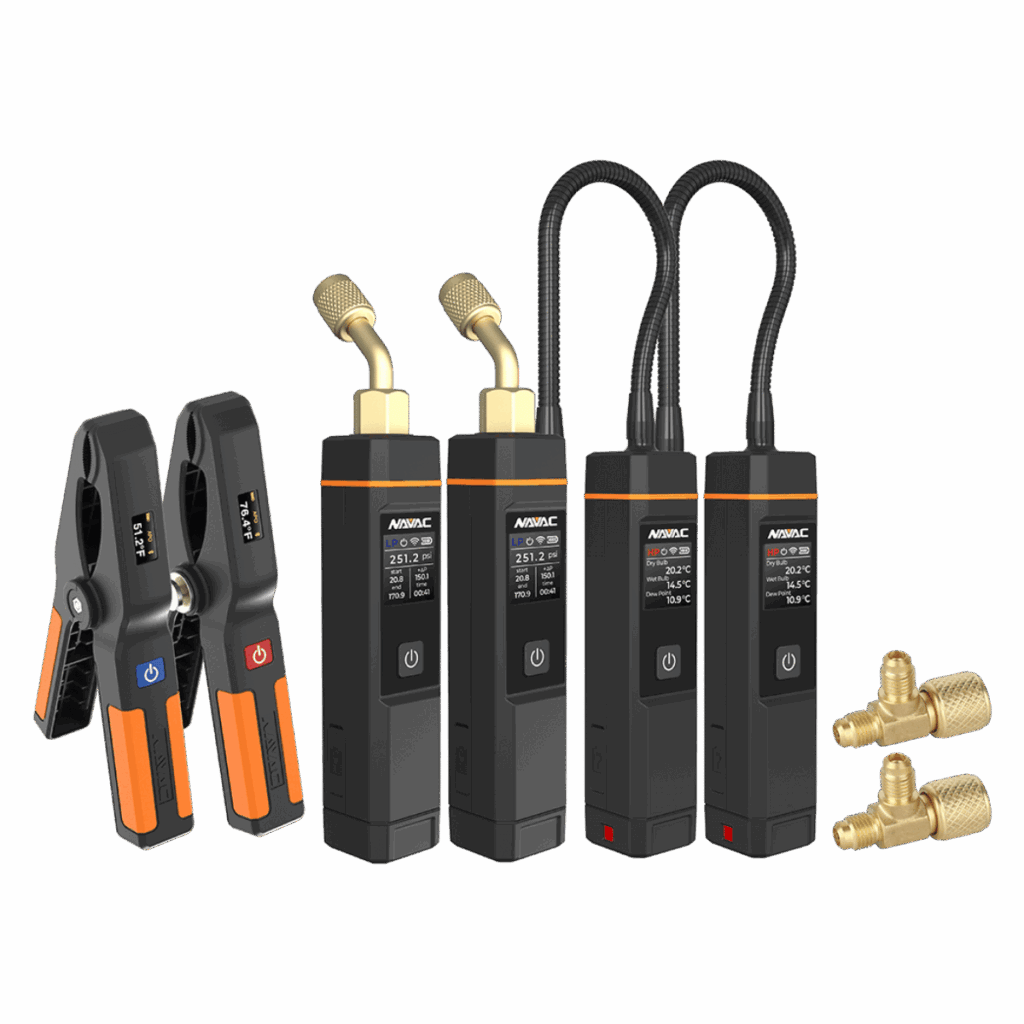
NAVAC Smart Probes: Large Displays, Long Battery Life
NAVAC probes have unusually large digital displays. The built-in screens are up to 2 times larger than other diagnostic probes. You can read measurements directly on the tool, even in direct sunlight or when your phone isn't accessible.
Battery life is a practical concern in the field. NAVAC probes run up to 150 hours on a single charge. That's roughly 10 days of continuous operation, eliminating frequent recharging between jobs.
The probes are built for durability. IP54 dust and water resistance protects them during daily use. The housing resists typical wear from field conditions.
NAVAC probes support all modern refrigerants, including A2L alternatives. As your customer base transitions to newer refrigerant types, these tools continue to work without replacement.
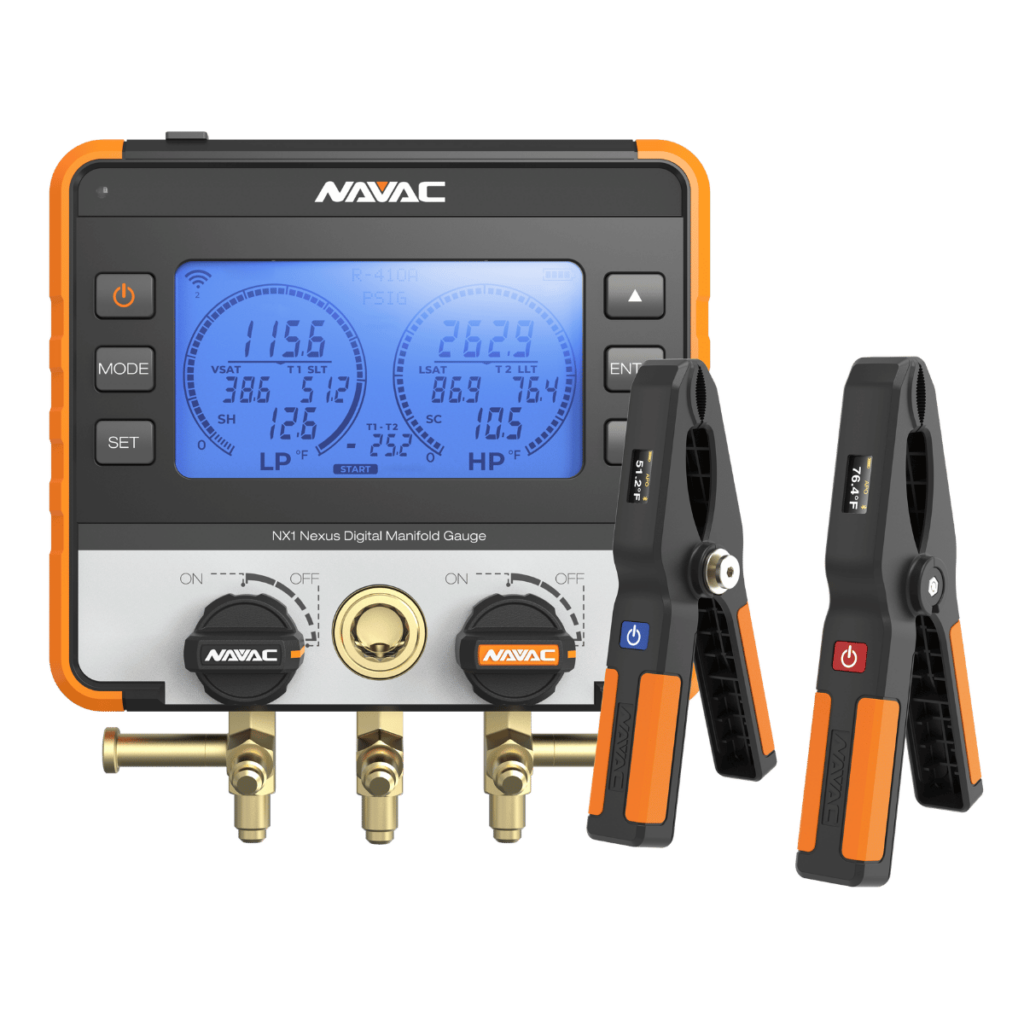
NAVAC NX1 Nexus Smart Digital Manifold
The NX1 Nexus manifold serves as your all-in-one diagnostic hub. It's designed for everyday field work, not laboratory use.
The backlit display works in any lighting condition. Whether you're in bright sunlight or a dim mechanical room, readings remain clear and readable. The impact-resistant housing tolerates the bumps and drops that happen during service calls.
Quarter-turn ball valves provide smooth, precise control during testing. This design reduces connection errors and speeds up diagnostics.
The NX1 supports over 100 refrigerant types, including all A2L alternatives. Firmware updates add support for new refrigerants as they enter the market. You won't need multiple gauges as refrigerant technology changes.
AI-Assisted Equipment Manual and Parts Search
Finding the correct equipment manuals takes time on every service call. Technicians typically spend 5-10 minutes manually searching for documentation. v3.5.8 eliminates this step through automated manual lookup.
How the Feature Works
measureQuick's AI System Profiler already automates equipment capture. You photograph the nameplate with your phone. The app reads make, model, and serial numbers automatically.
In v3.5.8, a new "Search for Manuals" button appears under each equipment component. Click it and the app finds relevant documentation instantly. You can view installation guides, parts catalogs, and specification sheets within the app.
This eliminates manual typing into search engines. You no longer scroll through irrelevant results to find the correct document.

Time Savings Across Your Workflow
Equipment documentation and manual lookup are just two steps in a typical service call. When combined with NAVAC's efficient design, these changes add up.
- System Profiling: Save 10-30 minutes with automated equipment capture
- Manual Lookup: Save 5-10 additional minutes with AI-assisted search
- Measurement: Work faster with NAVAC's large displays and intuitive controls
Across an install, maintenance visit, or commissioning job, these improvements compound. The time you gain returns directly to your bottom line.
Commissioning Best Practices with NAVAC Tools
If you're new to measureQuick, here's how to structure a commissioning workflow using v3.5.8 with NAVAC tools.
Step 1: Document the System
Use the AI System Profiler to capture equipment details. NAVAC smart probes let you simultaneously measure multiple points.
- Supply, return, and outdoor air temperatures
- Temperature differentials with NST1 and NST2 clamps
- Refrigerant pressures with NSP1 probes (optional)
- Full refrigerant diagnostics with the NX1 Nexus manifold (optional)
Step 2: Test System Performance
Start the system and let the equipment run normally. measureQuick calculates superheat, subcooling, and other diagnostics from your measurements. Review any performance flags and access just-in-time training for issues that appear.
Use the new manual search feature to pull up manufacturer specifications and parts information as needed.
Step 3: Generate System Vitals Report
measureQuick creates a comprehensive System Vitals report automatically. The report includes all measurements taken with your NAVAC tools. It shows how system performance compares to manufacturer specifications. Before-and-after data documents proper commissioning for your customer record.
Getting Started
The AI-assisted manual search feature is available to all Premier Services users in measureQuick v3.5.8.
NAVAC Smart Probes and the NX1 Nexus Digital Manifold are available through authorized distributors.
Begin with v3.5.8 and experience how NAVAC tools and automated documentation search improve your diagnostic workflow.