
measureQuick V3.5.18: Personal CO Monitoring, UEI Integration & Smarter Workflows
TL;DR: measureQuick v3.5.18 adds personal CO safety alerts (UEI COA2 and Sensorcon Protector), three new UEI pressure tools, Seitron temp probes, new NAVAC tools, and smarter mQ Assist. Your phone now watches for carbon monoxide while you work and tells you what to do if levels spike.
measureQuick v3.5.18 goes beyond tools that connect to equipment. It adds the ability to detect, alert, and log ambient carbon monoxide levels while techs work. This release also brings more UEI smart tools, upgrades to mQ Assist, better Vitals scoring, and everyday fixes.
Personal CO Monitoring: Alerts That Tell You What To Do
Every veteran tech has a story about walking into a building with high CO levels. Personal CO meters have been a best practice for years. But here's the problem no one talks about: when that alarm goes off, what should you do?
At 10 ppm? At 35 ppm? At 75 ppm? Each level calls for a different response. A basic CO meter beeps, but it gives no context. It doesn't tell a tech whether to look for the source, open some windows, or get out and call 911. For newer techs who haven't learned the ANSI/BPI-1200 action levels, that gap can be the line between a safe response and a risky one.
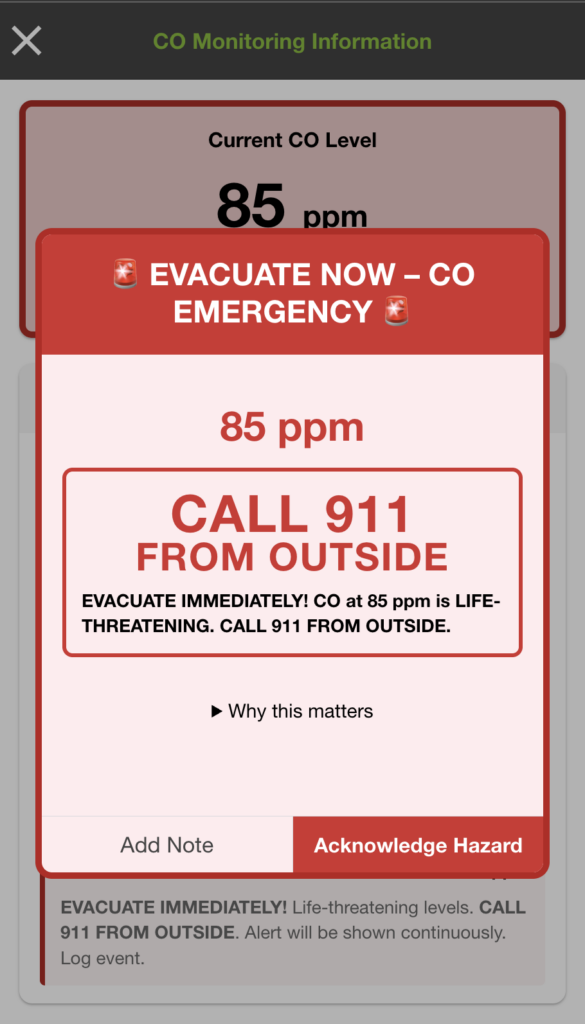
measureQuick v3.5.18 pairs with personal CO meters and fills this gap. With a UEI COA2 or Sensorcon Protector linked to the app, techs get constant CO tracking that runs in the background. When levels rise, the app fires layered alerts: on-screen warnings, haptic buzz, sound alarms, and Apple Watch pings, all at once.
Each alert includes clear steps matched to ANSI/BPI-1200 standards:
- Normal (0-8 ppm): Safe. Keep working.
- Elevated (9-35 ppm): Watch closely and find the source. Log the reading.
- Dangerous (36-69 ppm): Act now. Shut off gear, air out the space, log the event.
- Emergency (70+ ppm): Get out now. Call 911 from outside. Alert stays on screen.
This is what turns a CO meter from a device that beeps into a system that gives clear guidance when it matters most.
Auto-Logged Safety Records
When a CO event happens during a project, measureQuick saves the data on its own. The reading, the alert level, and the time all become part of the project record. Techs don't need to stop and write anything down. For service managers, this means CO events get logged as part of the normal workflow, creating a safety trail that didn't exist before.
Note: CO detectors paired with measureQuick (UEI COA2 and Sensorcon Protector) are detection and alert tools only. They do not protect you from CO exposure. They measure and alert so you can take the right action. measureQuick shows readings and gives guidance based on BPI safety standards, but techs are still in charge of following proper safety steps when hazards are found.
New Tool Integrations
Two CO Meters, One App
measureQuick v3.5.18 supports two personal CO meters, so techs can pick what fits their style:

UEI COA2: A small clip-on CO meter with 1-999 ppm range, 3-color LED, and Bluetooth. Clip it on and go. Auto-zeroes on power up. Reads in 1 ppm steps with ±3% accuracy. Sold at TruTech Tools.
Sensorcon Protector: A pro-grade handheld CO detector. Key specs:
- 0-1,000 ppm range with IP67 dust/water rating
- Four alarm levels with LED, 95 dBA sound, and vibration alerts
- Built-in memory for alarm logs, bump tests, and calibrations
- 5-year battery life
- Bluetooth Low Energy for live streaming and over-the-air updates
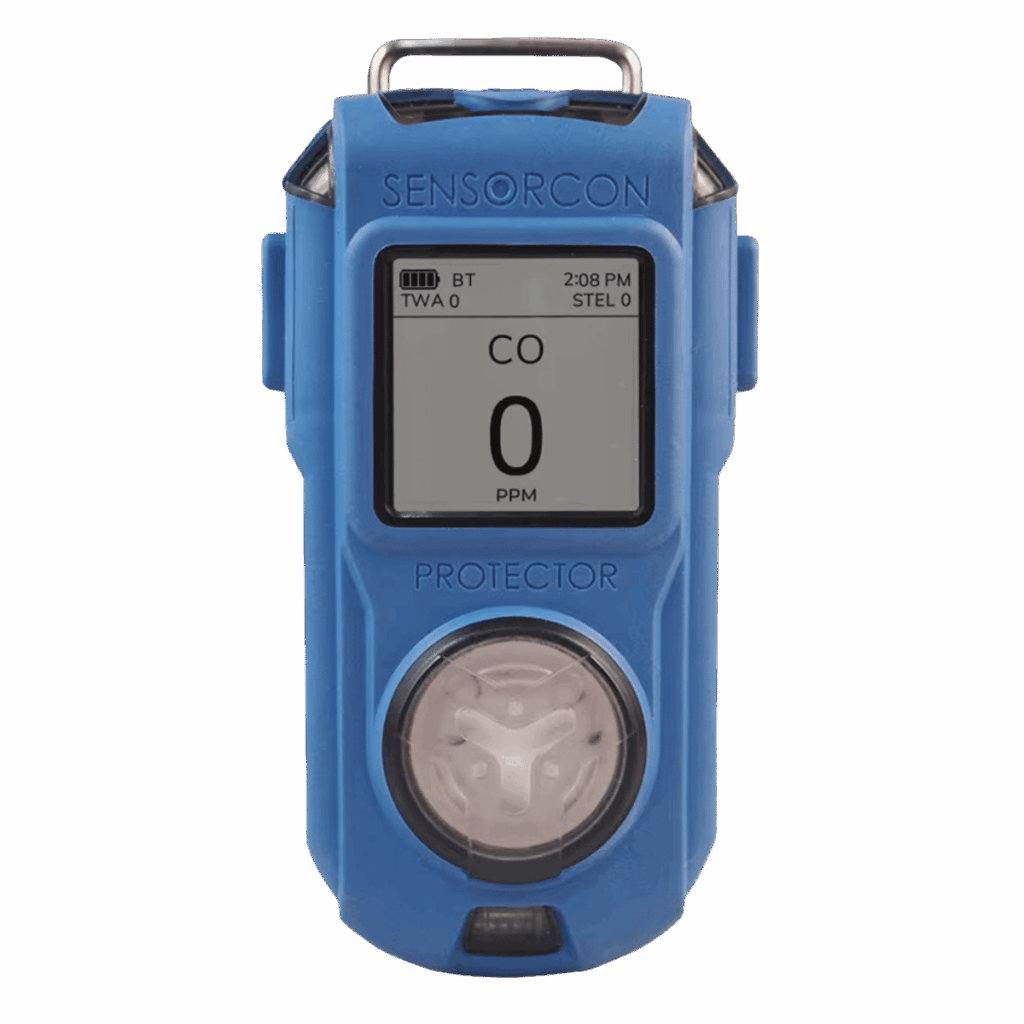
Both meters pair via Bluetooth and stream live readings right into the measureQuick app.
More UEI Smart Tools
The COA2 isn't the only new UEI tool in v3.5.18. This release also adds two pressure tools that round out a full gas furnace testing setup in measureQuick.
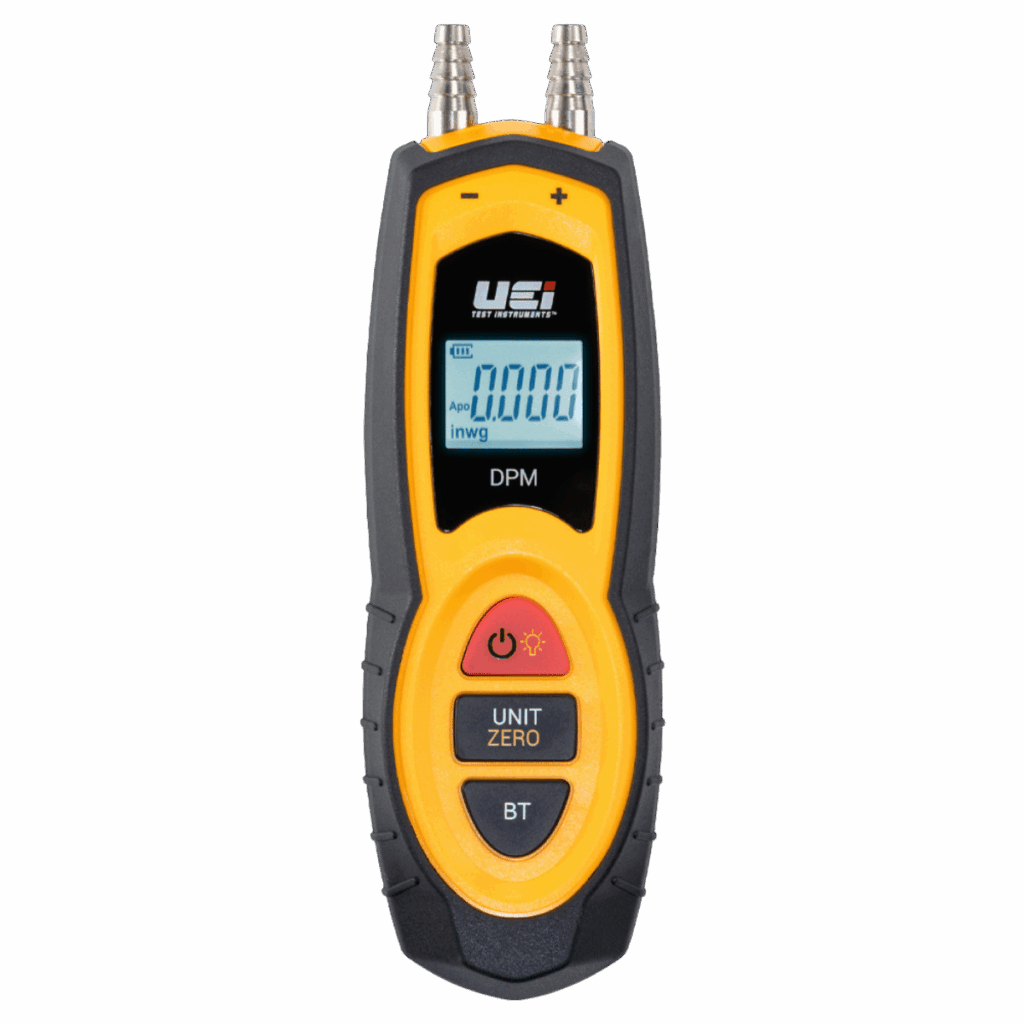
UEI DPM Wireless Pressure Manometer: A small dual-port manometer with Bluetooth. Covers ±80 inWC at 0.01 inWC steps with ±0.03 accuracy at 3 inWC. Magnetic mount, data logging, and MIN/MAX/AVG tracking. Use it for:
- Total external static pressure
- Filter pressure drop
- Gas manifold pressure
- Draft testing
- Economizer readings
UEI SPMKIT Wireless Static Pressure Kit: A full static pressure testing setup in one case. Includes:
- Two SPM wireless pressure manometers
- Two static pressure probes
- Stepped T fittings, tubing, brass fittings, and gas valve adapters (including slip-on types)
Pair both to measureQuick and capture supply and return static pressure at the same time. The app figures total external static and compares it to OEM specs on its own.
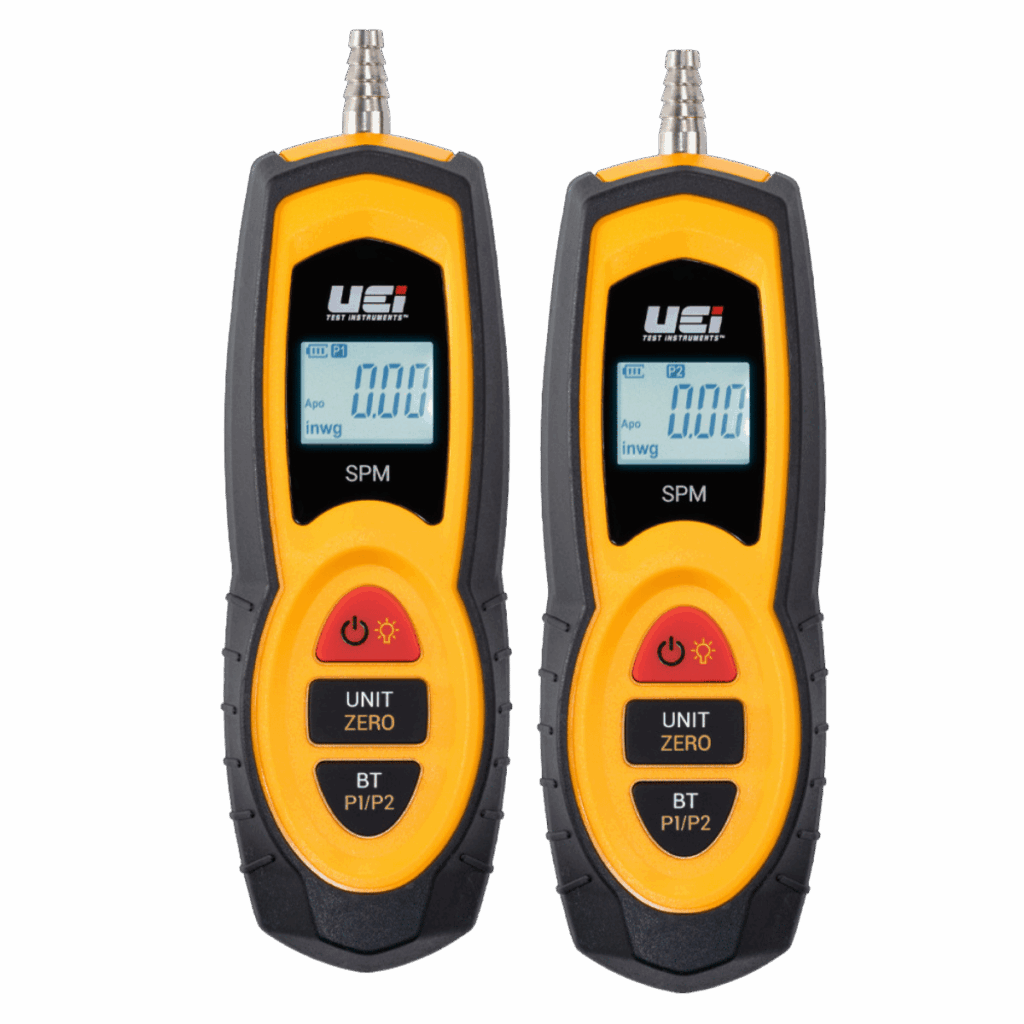
UEI Users: A Full Gas Furnace Setup. With the COA2, SPMKIT (or DPM), and the HUB6 temp probes, UEI users can now run a full gas furnace test inside measureQuick. CO safety tracking, static pressure, and temp readings, all streaming via Bluetooth from one tool brand. That's a big step for techs who like to stay in the UEI lineup.
Seitron Is in the Building
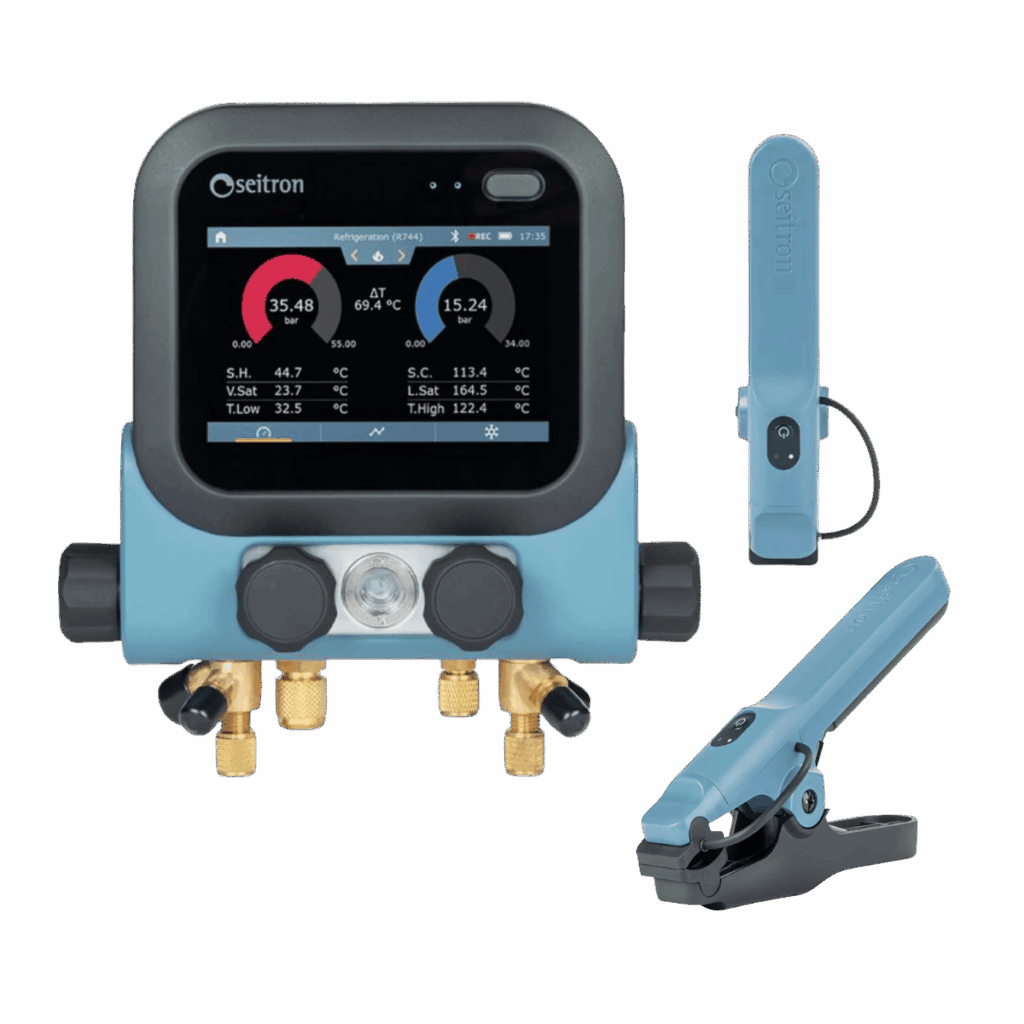
Be Cool Evo M4S: Wireless Temp Probes. These wireless clamp probes cover -50 to 150°C with ±1.0°C accuracy. They fit pipes from 6 to 35 mm. Connected via Bluetooth 5.0 and IP54 rated for field use. If you already use Seitron's digital manifold, this brings those tools into measureQuick's testing workflows.
Even More NAVAC Tools

NAVAC NX1G NEXUS 2 Digital Manifold: The NEXUS 2 builds on the proven NX1 with a new 5.5-inch HD color touchscreen and smoother menus for manifold, leak test, vacuum, and decay test modes. It supports 100+ refrigerants including A2L blends like R-454B. Ships with NST1 and NST2 Bluetooth temp clamps for quick superheat and subcooling readings.
NAVAC NSM1K2 Bluetooth Manometer Probes: This kit pairs two Bluetooth probes for reading air-side pressure from both sides at once. Each probe has its own digital display and a magnetic mount for hands-free use on metal. Connect both to measureQuick and capture supply and return static pressure at the same time. No need to swap between points.

mQ Assist Gets Smarter

measureQuick's AI helper, mQ Assist, keeps getting better in v3.5.18. It now gives sharper tips for real-world problems, pulling from measureQuick's data to help techs find issues faster.
Low airflow? Charge issues? Heat pump defrost questions? mQ Assist gives short, clear answers right inside the app.
Other Updates
Beyond the big features, v3.5.18 includes fixes and tweaks based on user feedback:
- Profile Picture in Navbar: Your avatar now shows in the top nav for quick account access.
- Company Logo Upload: Admins can now upload logos for branded reports.
- Delete Profile Picture: Option to remove profile photos from the photo menu.
- Vitals Scoring: Better UI showing which tools are missing so techs know what they need.
- Smarter Vitals Display: The Vitals section now shows only when it fits the project context.
- CoolMaxx and HeatMaxx Templates: New workflow templates for cooling and heating jobs.
- New Notes Page: Cleaner layout for project notes.
Get Started
Update to v3.5.18 from the App Store or Google Play. If you own a UEI COA2 or Sensorcon Protector, it will pair via Bluetooth right away. For new buys, the UEI COA2 is at TruTech Tools (trutechtools.com).
For a walkthrough of CO tracking, watch Jim Bergmann's demo on the measureQuick YouTube channel. For the full UEI tool lineup, watch the Louise Kellar interview covering the COA2, DPM, and SPMKIT.
Full release notes: https://support.measurequick.com/portal/en/kb/articles/measurequick-version-3-5-release-notes